Two things break jump-rope apps, and 638 App Store reviews in this category say so out loud. You get told to buy a $60–300 smart rope or strap on a watch you don’t own. And when an app does count, it counts wrong — 1,000 jumps reported as 257, 40 reported as 100 — with no way to tell when it went off.
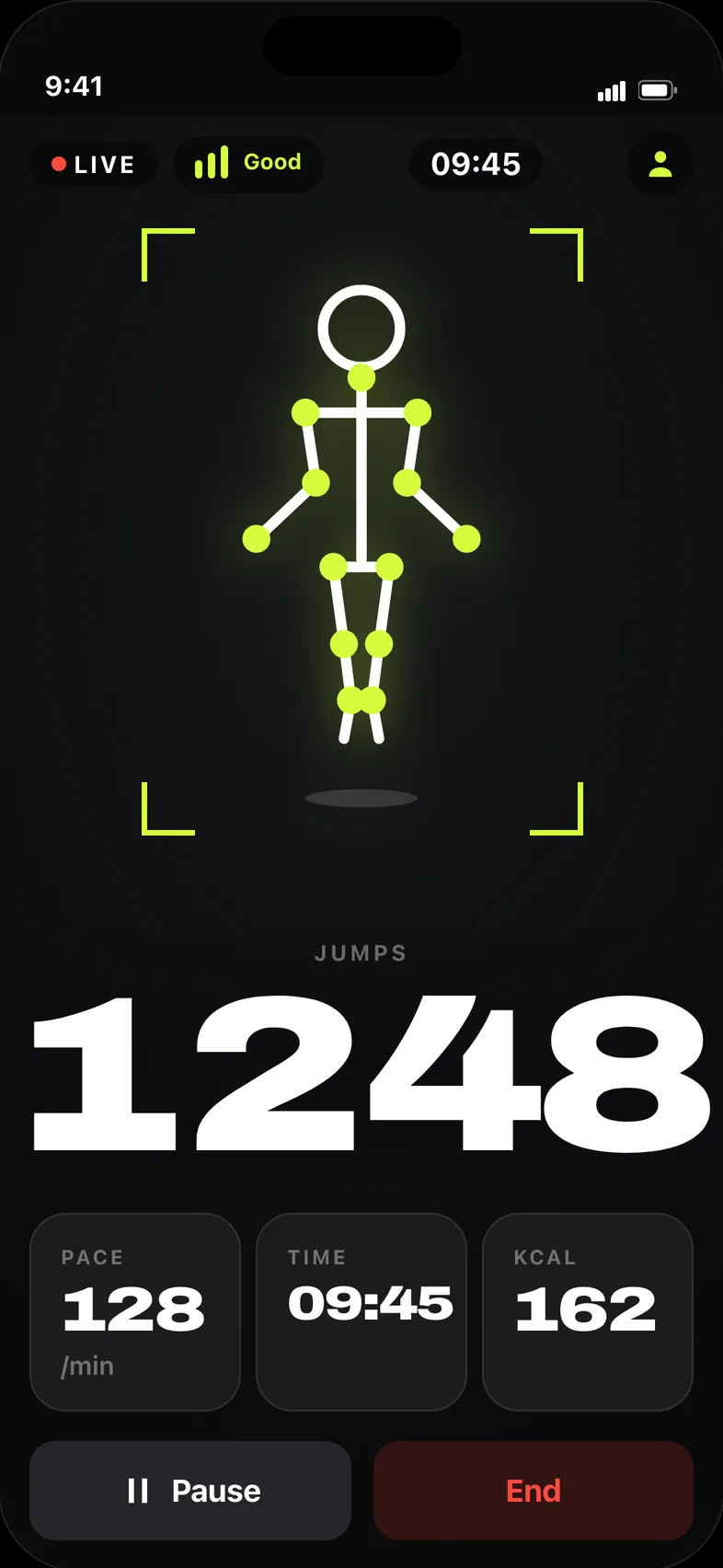
RopeUp uses the camera that is already in your pocket. On-device pose detection follows your body 20 times a second and draws the skeleton it sees, so you can watch it track you. When it loses you, the number stops moving and says so, instead of filling the gap with a guess.
You can see it watching you
Apple’s on-device Vision framework finds your joints and RopeUp draws them straight over the camera feed. No app in this category shows you the body it’s tracking — which is exactly why you can trust the number underneath it.
It freezes instead of lying
A tracking-quality meter sits at the top of the screen the whole session. Step out of frame or lose the light and the counter stops and tells you why — a paused number you can fix beats a total you can’t believe.
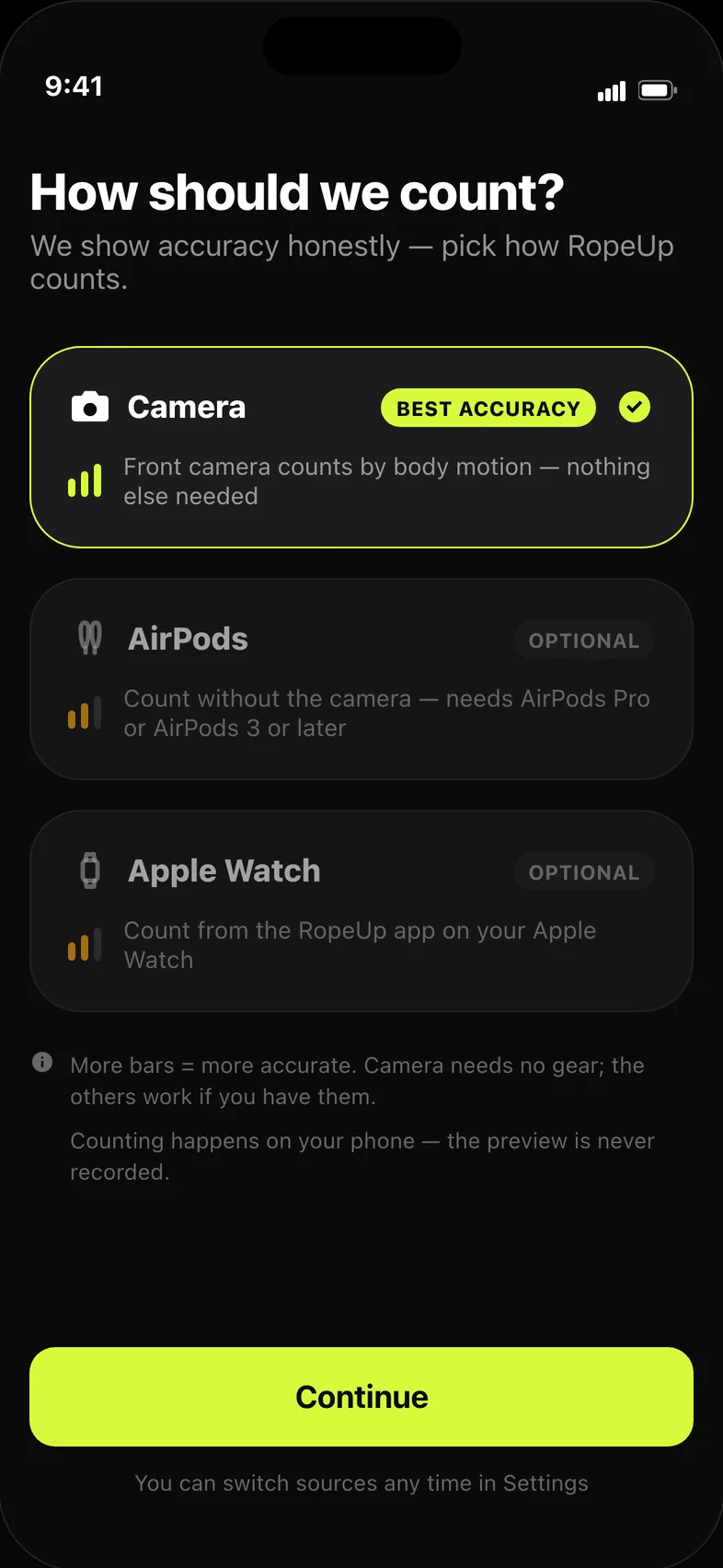
Camera, AirPods or Apple Watch
The camera is the default and needs nothing else. If you already wear AirPods or an Apple Watch, they count too — same engine, same history, so the choice never splits your stats.
See where this actually leads
Set a goal in kilograms and RopeUp turns it into jumps and sessions, then projects one month, six months and a year out from your real pace and weight. It caps the projection at a safe rate of loss and says plainly that the estimate assumes your eating stays the same.
Example projection, not a promise. Numbers shown are illustrative — the app estimates from your own pace and weight, caps the rate of loss and assumes your eating stays the same.
A plan built for your level
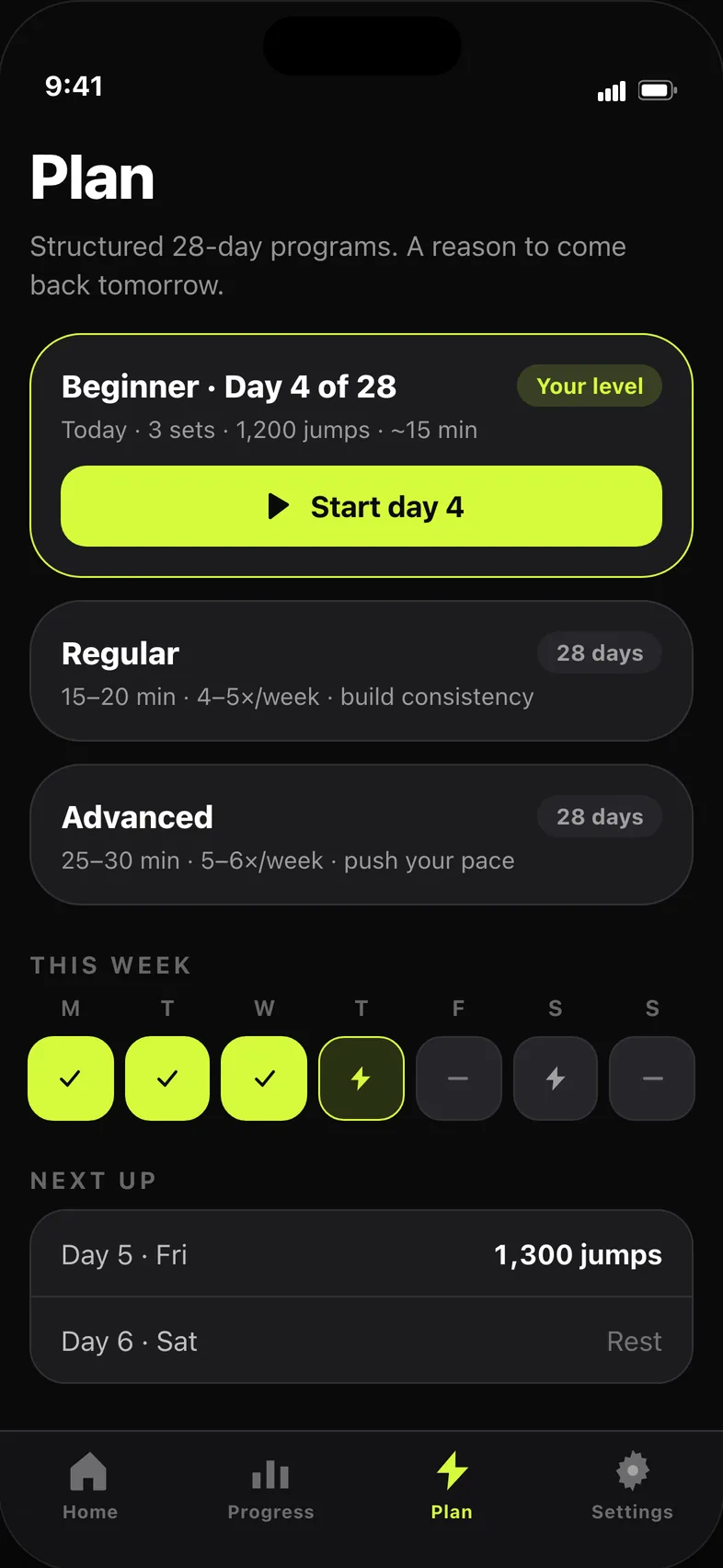
Beginner, Regular and Advanced programs lay out four weeks of sessions with the day you’re on marked. Miss a day and the plan adjusts rather than shaming you into starting over.
Someone to beat
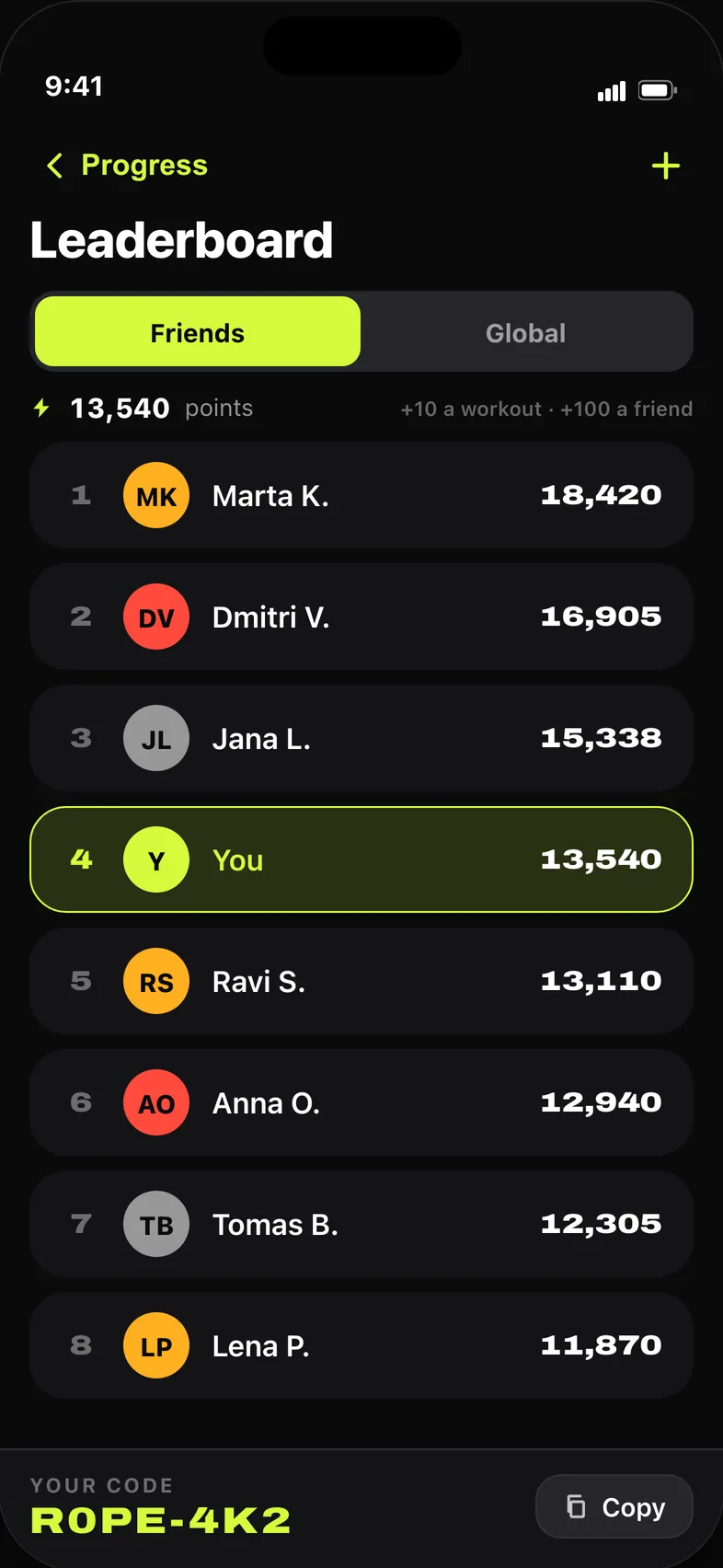
Add a friend with a six-character code and your weekly jump totals sit side by side. There’s a global board too, and points for showing up — but no feed, no public profiles and nothing to moderate.
Everything else that’s in there
Streaks & a daily challenge
A visible streak on the home screen and one small target per day.
20 levels, 37 awards
Earned often and early, not after a month of grinding.
Full history, free
Every session, pace curves, personal records and a six-month heat calendar.
Weight & BMI
Log your weight, watch the trend, feed the forecast.
Apple Health
Sessions are written as workouts; RopeUp never reads your health data.
Widgets
Home Screen, Lock Screen and a Control Center button that starts a session.
Learn Hub
Technique and jump styles, written out, for when form is the thing holding you back.
15 languages
Including Arabic with full right-to-left layout.
A number you can’t trust is worse than no number at all.
Most apps would have kept counting.
Prop up your phone
Two or three steps away, portrait or landscape, whatever stands.
Step into the outline
A silhouette guide tells you when the frame is right.
Jump
A 3-2-1 counts you in, and the number does the rest.
Counting is free forever. Pro is for turning the counting into a plan.
- Beginner / Regular / Advanced programs, day by day
- Goal in kilograms, converted into jumps and sessions
- Weight-loss forecast at one month, six months and a year
- Weight log with BMI and trend
- Target modes: jump to a number, or jump against the clock
- Deeper analytics — pace curves, period comparisons, your best minute
Start the 3-day free trial in the app.
Questions
How does a phone camera count jumps accurately?
On-device pose detection finds your joints about twenty times a second and the counter looks for the takeoff-and-landing pattern in your hips and shoulders. It ignores squats and shifting weight, and when confidence in the pose drops it stops counting rather than filling in the gap. Nothing is sent anywhere to make that decision.
Does the video leave my phone?
No. Camera frames are analysed one at a time and thrown away — nothing is recorded, stored or uploaded, and RopeUp asks for nothing from your photo library. Your workouts, weight and profile stay in the app's own storage on the device.
Do I need a smart rope, a watch or AirPods?
No. The camera is the default and works on its own with any rope, or no rope at all if you're doing jumps in place. AirPods and Apple Watch are alternatives for people who already own them, not requirements.
Do I need an account?
Not to count, save or review anything. An account only matters if you want the leaderboard and friends — that's Sign in with Apple, and you can delete the account, and everything public attached to it, from inside the app.
What's free and what needs Pro?
Counting, the free-form mode, saving, your full history, statistics, personal records, levels, awards and widgets are free forever, with no ads. Pro adds the programs, the goal and its forecast, the weight log, target modes and deeper analytics. Current pricing shows in the App Store, since it varies by country.
Does it work offline?
Yes. Counting, history, programs and forecasts all run on the device. A connection is only used for purchases and for the leaderboard, which catches up on its own once you're back online.
Which devices are supported?
iPhone on iOS 17 or later, with Home Screen and Lock Screen widgets. There's an Apple Watch companion for counting on the wrist. There's no iPad app — the whole idea is a phone standing in front of you.
How do I cancel, and how do I get help?
Subscriptions are cancelled in iOS Settings → your name → Subscriptions → RopeUp; deleting the app doesn't cancel one. For anything else, email [email protected] with your iPhone model, iOS version and what happened — a person reads every message.